Last updated: January 2025. Based on discussions from r/remotework, r/WorkOnline, r/productivity, r/digitalnomad, r/getdisciplined.
"I went remote 3 years ago. First year was amazing - no commute, flexible hours. Second year I realized I hadn't taken a real day off in months. My office was 10 feet from my bed. The lines just... disappeared."
This story repeats constantly across Reddit. Work from home freedom quickly becomes work-from-home prison without the right systems. Here's what the community has learned about planning for remote work.
The Unique Challenges of WFH
Why Remote Work Needs Different Planning
- Blurred boundaries: No physical separation between "work" and "home"
- No commute transitions: Missing the mental reset between work and life modes
- Home distractions: Laundry, dishes, kids, pets, Netflix - all within reach
- Invisible overtime: "Just one more email" at 9pm becomes routine
- Isolation: No office interactions, harder to disconnect mentally
Traditional productivity apps assume you work in an office with clear start/end times. Remote workers need tools that actively help create and maintain boundaries.
The Biggest WFH Struggle: Separating Work and Life
Reddit's remote work communities return to this theme constantly. The freedom to work anytime becomes the trap of working all the time.
Reddit's Top Separation Strategies
- Physical boundaries: Dedicated workspace, even if just a corner. Close the door/put away laptop at end of day.
- Time boundaries: Hard start and stop times. Schedule "commute" walks.
- Digital boundaries: Separate work and personal browsers/devices. No Slack on phone.
- Visual tracking: Use planners that show work hours clearly so you can see when it's creeping.
Time Blocking for Remote Work
Time blocking is the most recommended strategy on Reddit for WFH productivity. Instead of a task list you chip away at all day, you assign specific hours to specific work.
- Morning blocks: Deep work before distractions (emails, meetings)
- Communication windows: Batch emails and Slack into specific times
- Break blocks: Actually schedule lunch and breaks - they won't happen otherwise
- Hard stop block: The time you close your laptop, no exceptions
The key insight from Reddit: without time blocking, remote work expands to fill all available time. You need to actively constrain it.
Best Apps for WFH Planning
| App |
WFH Strength |
WFH Weakness |
| Notion |
Custom WFH dashboards, project documentation |
No built-in time tracking, easy to over-engineer |
| Todoist |
Quick task capture, recurring tasks |
No calendar view, hard to see time allocation |
| Sunsama |
Daily shutdown ritual, calendar integration |
Expensive ($20/mo), can feel slow |
| Funtasking |
Visual timeline, work/life balance tracking |
Less traditional task list features |
Tracking Work Hours Without Micromanagement
Reddit strongly recommends tracking your work hours - not for your boss, but for yourself. Most remote workers underestimate how much they work.
Time Tracking Approaches
Passive tracking: Tools like RescueTime or Toggl Track that run in background. Good data, but can feel surveillance-y.
Calendar blocking: Block your calendar for work hours and actually review it weekly. Simple but requires discipline.
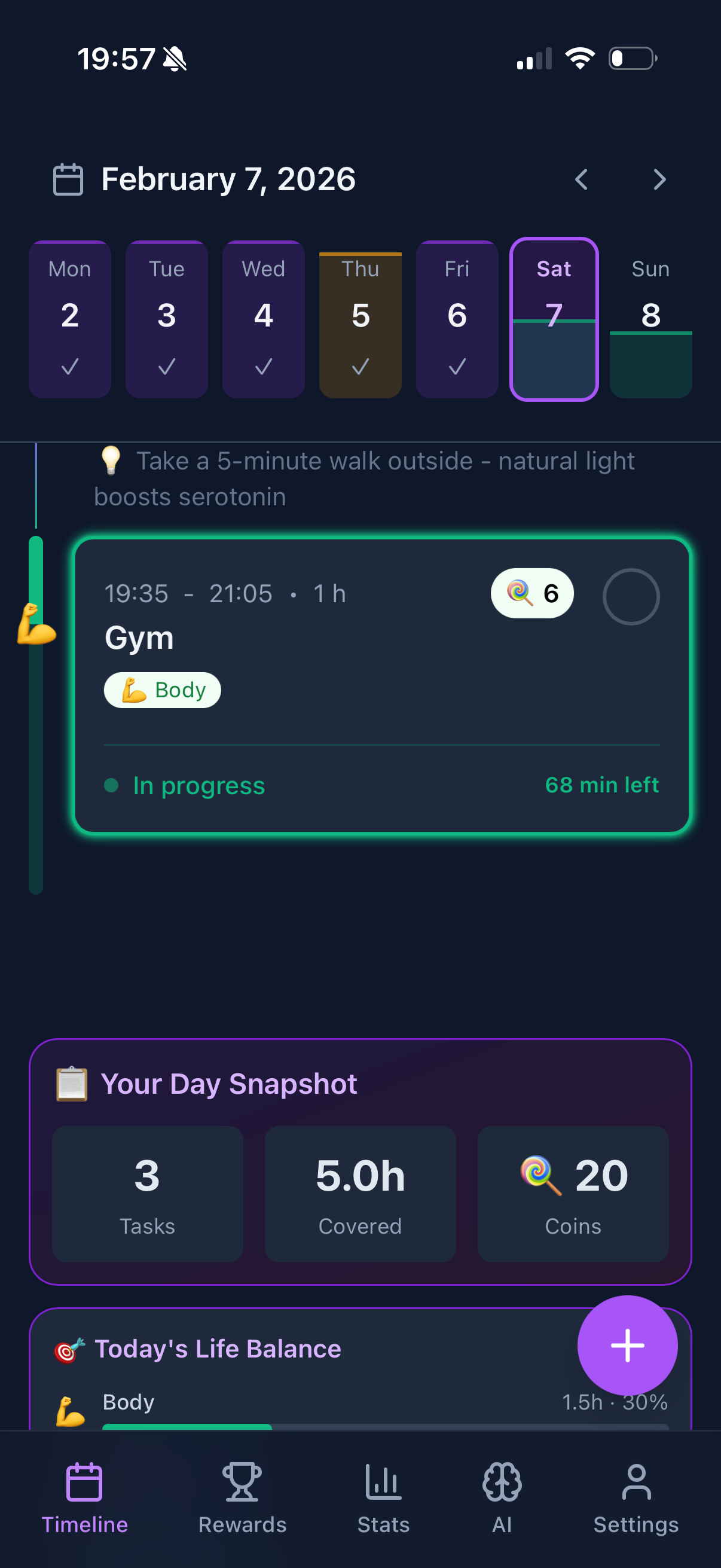
Visual planners: Apps like Funtasking that show your day as a timeline - immediately obvious if work is dominating.
Work-Life Boundaries with Planning Apps
The most effective WFH planners actively help you maintain boundaries, not just track tasks:
- End-of-day reviews: Sunsama's shutdown ritual, Funtasking's daily completion
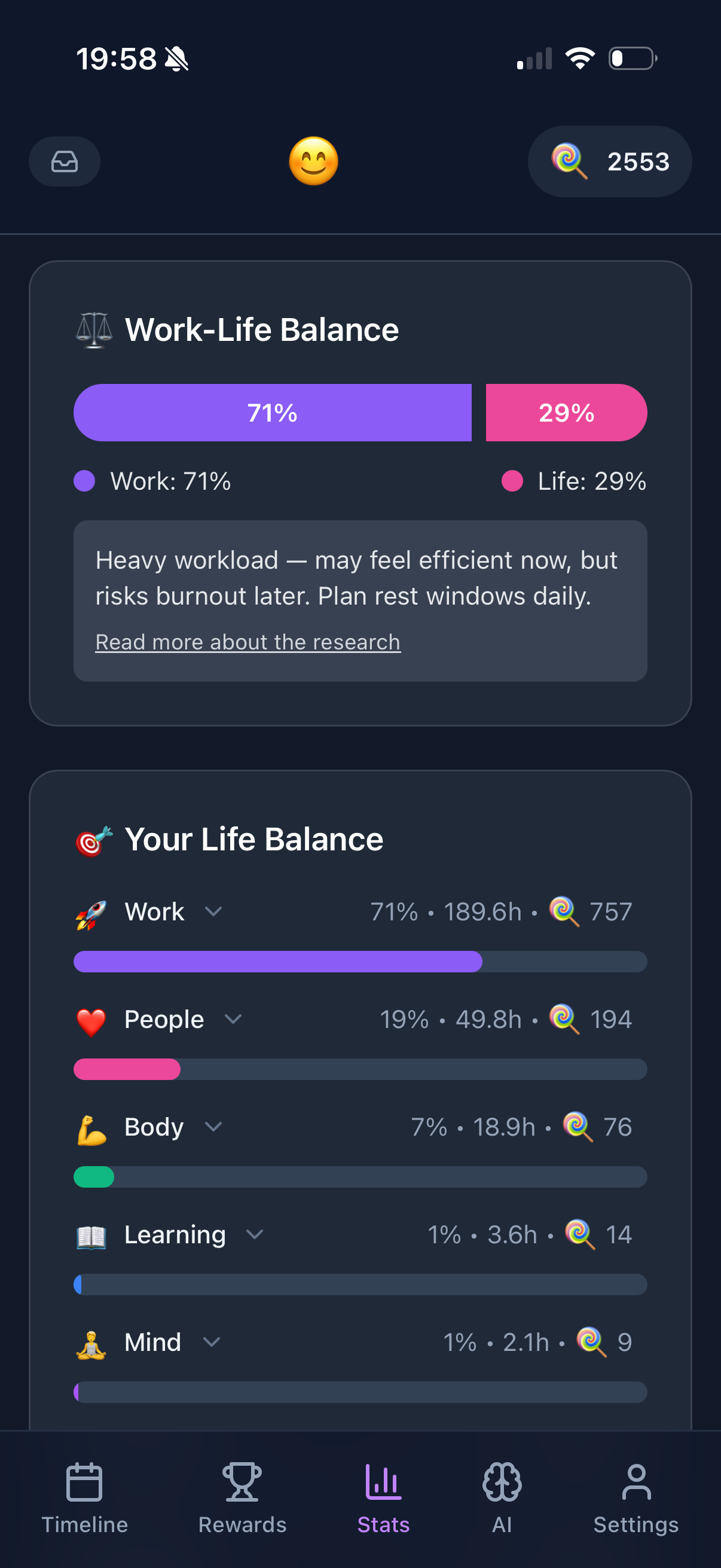
- Category tracking: Seeing work vs. personal time split visually
- Time limits: Setting maximum work hours and getting alerts
- Non-work reminders: Scheduling exercise, meals, breaks as real tasks
The Funtasking Approach to WFH Balance
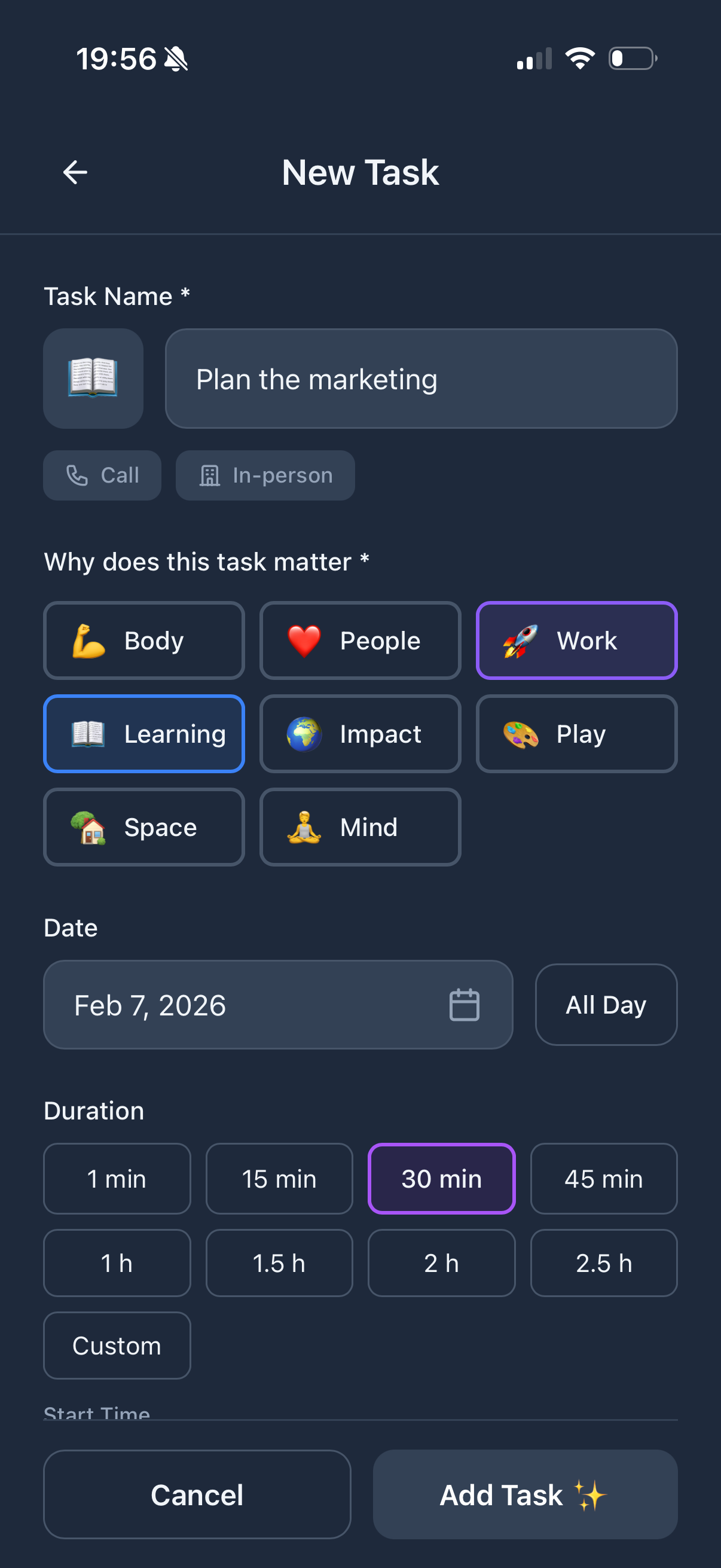
Funtasking's Purpose Wheel shows Work as one of 8 life areas - alongside Health, Relationships, Learning, and more. When work starts dominating the wheel, you see it immediately. The visual timeline makes boundaries crystal clear: you can see exactly when your work block ends and personal time begins. No more "just one more thing" at 10pm.
Reddit Q&A: WFH Planning Struggles
"How do I stop checking email after hours?"
Remove work email from your phone. Use a separate browser profile for work. Set a hard "laptop closed" time and stick to it for 30 days until it becomes habit. Some people literally put their work laptop in a drawer or closet.
"I feel guilty taking breaks when WFH. Help?"
Schedule breaks as tasks. Lunch is a meeting with yourself. When it's on your calendar/planner, it's legitimate. Track your actual work hours for a week - you'll probably see you're working more than office workers, not less.
"My work keeps expanding into evenings and weekends"
Set a weekly work hour budget. If you worked 45 hours by Thursday, Friday is a light day. Use a planner with time tracking. The visual evidence of overwork is powerful for self-correction.
"I can't focus at home - too many distractions"
Time blocking with a visual planner helps. When you can see your "deep work" block on a timeline, you're more likely to protect it. Also: close browser tabs, use website blockers, put phone in another room during focus time.
"How do I plan for WFH with kids at home?"
Radical time blocking. Your work hours are sacred and non-negotiable during certain blocks. Communicate these clearly to family. Some Reddit parents do split shifts - work 6-9am and 8-11pm when kids sleep, lighter work during the day.
Building Your WFH Planning System
Based on Reddit's collective wisdom, an effective WFH planning system needs:
- Visual time awareness: See your day as time, not just tasks
- Work/life categorization: Track what type of time you're spending
- Hard boundaries: Defined start and stop times
- Daily rituals: Startup and shutdown routines that replace the commute
- Weekly review: Regular check on work-life balance trends
The specific app matters less than having a system. But apps that show you the balance visually (like Funtasking) make it much harder to ignore when work is taking over your life.