Time blocking is one of the most powerful productivity techniques you can learn. It's used by Elon Musk, Bill Gates, Cal Newport, and countless high performers. But here's the thing: most people do it wrong.
They create rigid schedules that fall apart by 10 AM. They don't account for energy levels. They treat all tasks as equal. This guide will show you how to actually make time blocking work in real life.
What is time blocking? Instead of working from a to-do list and hoping you get things done, you assign specific time slots to each task. Your calendar becomes your task list. If it's not on the calendar, it doesn't happen.
Why Time Blocking Works
Cal Newport, author of "Deep Work," explains it best: "A 40 hour time-blocked work week, I estimate, produces the same amount of output as a 60+ hour work week pursued without structure."
Time blocking works because it solves several problems at once:
- Eliminates decision fatigue. You don't waste mental energy deciding what to do next. It's already decided.
- Protects deep work. By scheduling focused time, you create boundaries against interruptions.
- Makes time visible. You realize you only have so many hours. This forces prioritization.
- Reduces context switching. Batching similar tasks together minimizes the mental cost of switching.
Step-by-Step: How to Start Time Blocking
1Audit Your Current Time
Before you can block your time intentionally, you need to know how you're actually spending it. Track your time for 2-3 days. Every 30 minutes, note what you did. You'll likely be surprised (and maybe horrified) by the results.
Common discoveries: 3+ hours on email, 2+ hours in unnecessary meetings, lots of "quick" social media checks that add up.
2Categorize Your Tasks
Not all work is equal. Cal Newport distinguishes between:
- Deep work: Cognitively demanding tasks that require focus (writing, coding, strategy, creative work)
- Shallow work: Logistical tasks that don't require deep thinking (email, most meetings, admin)
List all your regular tasks and categorize them. This helps you protect time for what matters most.
3Identify Your Peak Hours
When is your brain sharpest? For most people, it's 2-4 hours after waking. For night owls, it might be late evening. This is when you should schedule deep work.
Don't waste peak hours on email or meetings. That's like using a sports car for grocery runs.
4Create Your Time Blocks
Now the actual blocking. Here's how to structure it:
- Schedule deep work during peak hours (90-minute blocks work best)
- Batch shallow work together (email, Slack, calls)
- Add buffer time between blocks (15-30 minutes)
- Include breaks (don't skip this)
Visual Example: A Time-Blocked Day
6:00 - 7:00 AM | Morning routine (exercise, breakfast)
7:00 - 8:30 AM | Deep Work Block 1 (most important task)
8:30 - 9:00 AM | Break / Buffer
9:00 - 10:00 AM | Email & Slack batch
10:00 - 11:00 AM | Meetings
11:00 - 12:30 PM | Deep Work Block 2
12:30 - 1:30 PM | Lunch (real break, no work)
1:30 - 2:30 PM | Admin tasks / follow-ups
2:30 - 4:00 PM | Deep Work Block 3
4:00 - 5:00 PM | Email batch / day wrap-up
Color coding: Purple = Deep work | Pink = Shallow work | Green = Breaks | Yellow = Admin/Meetings
Cal Newport's Time Blocking Rules
Cal Newport has been time blocking for over a decade. Here are his key principles:
1. Every minute should have a job
Don't leave gaps in your schedule. Even "free time" should be blocked. Otherwise, it gets eaten by distractions.
2. Use a paper schedule (or dedicated app)
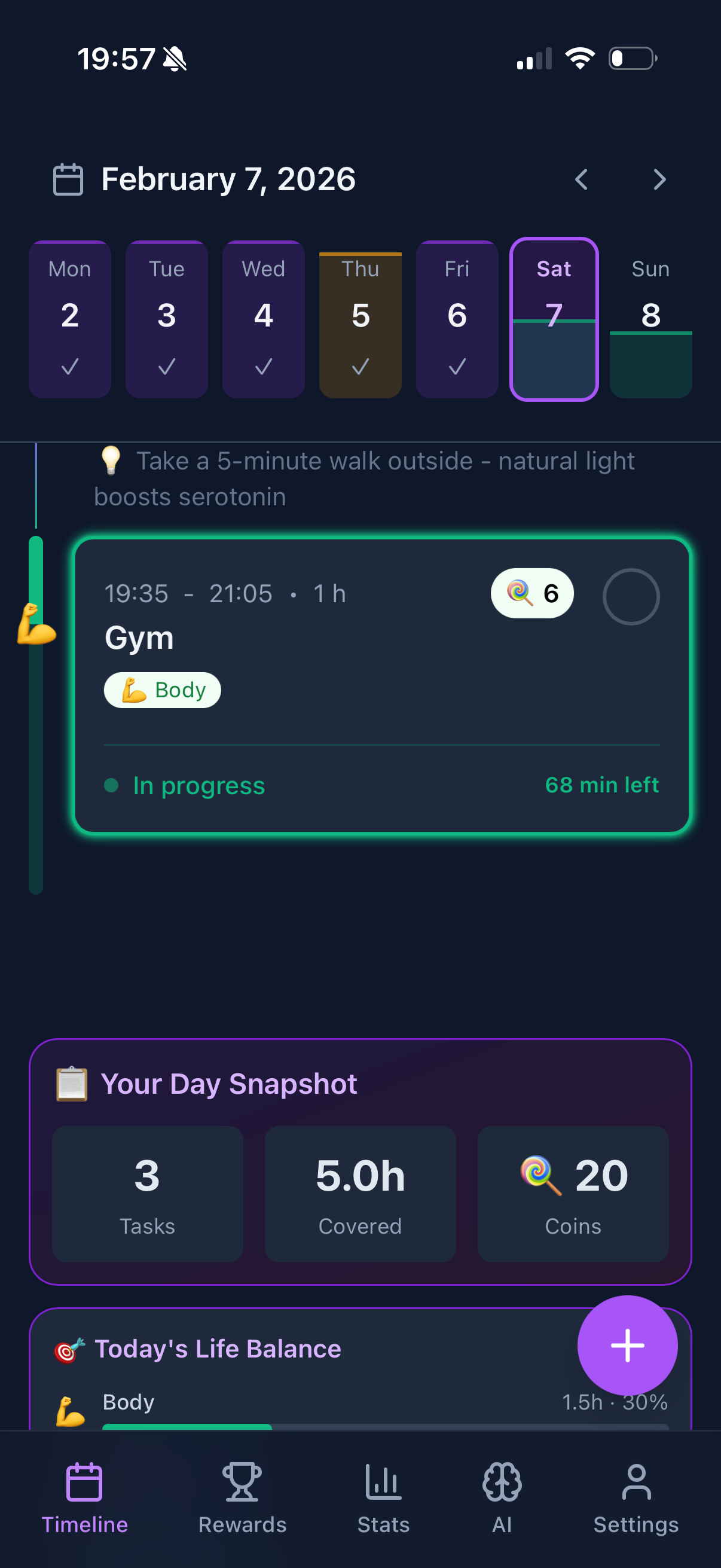
Newport uses a paper notebook. The physical act of writing blocks helps commit to them. If you prefer digital, use a dedicated app like Funtasking or your calendar, not your task list.
3. Expect to repair your schedule multiple times per day
Your original plan will break. That's fine. When it does, take 2 minutes to re-block the rest of your day. The goal isn't perfect adherence; it's intentionality.
4. Schedule more time than you think you need
Everything takes longer than expected. If you think a task will take 30 minutes, block 45. This builds in flexibility and reduces stress.
Common Time Blocking Mistakes
Mistake #1: Packing your schedule too tight. If every minute is scheduled with no buffer, one delay cascades into chaos. Leave 20% of your day unscheduled for overflow.
Mistake #2: Ignoring energy levels. Don't schedule deep work after a heavy lunch or at the end of the day when you're depleted. Match task difficulty to energy.
Mistake #3: Not batching similar tasks. Checking email 20 times for 3 minutes each is far less efficient than two 30-minute batches. Group similar work together.
Mistake #4: Being too rigid. Life happens. Urgent things come up. The point of time blocking isn't to become a robot; it's to be intentional with your time while remaining flexible.
Time Blocking with Funtasking
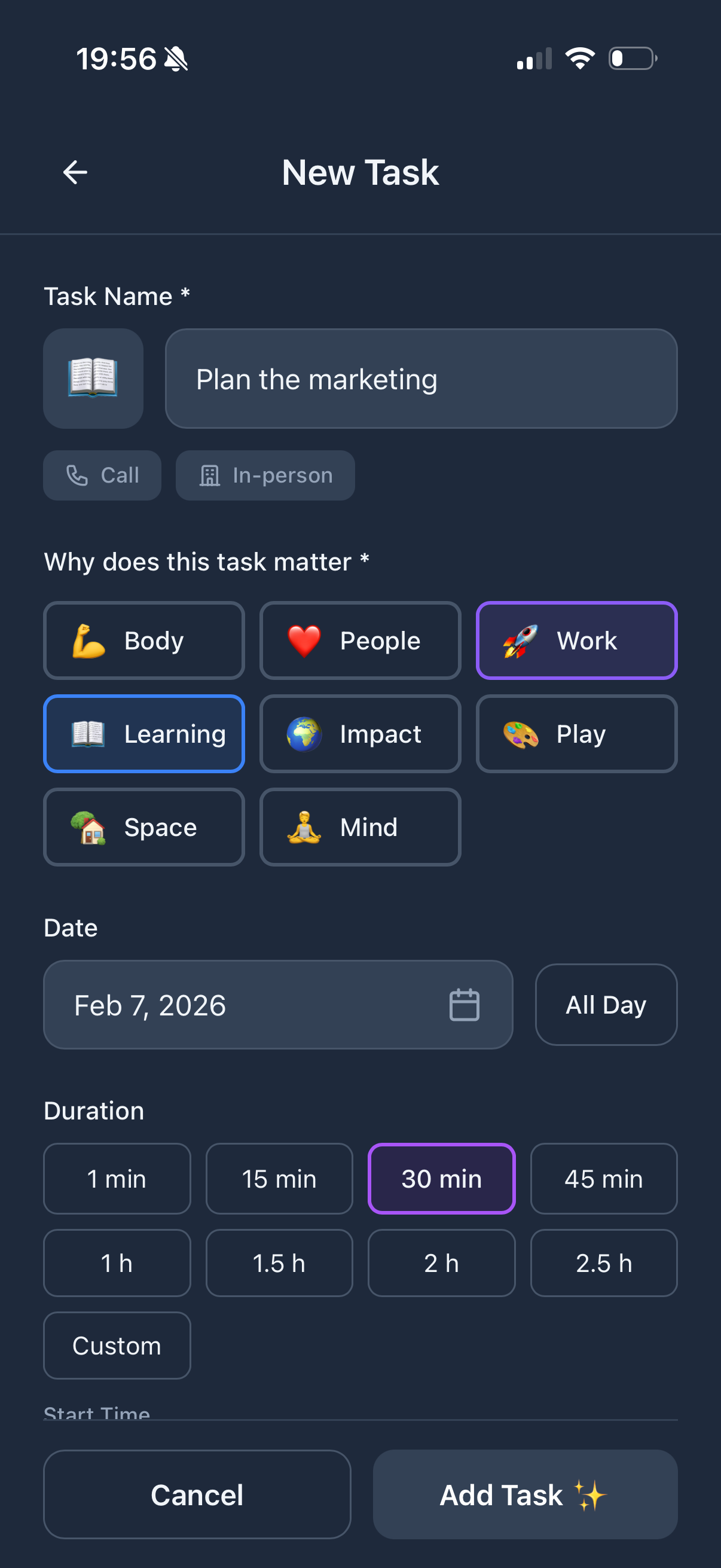
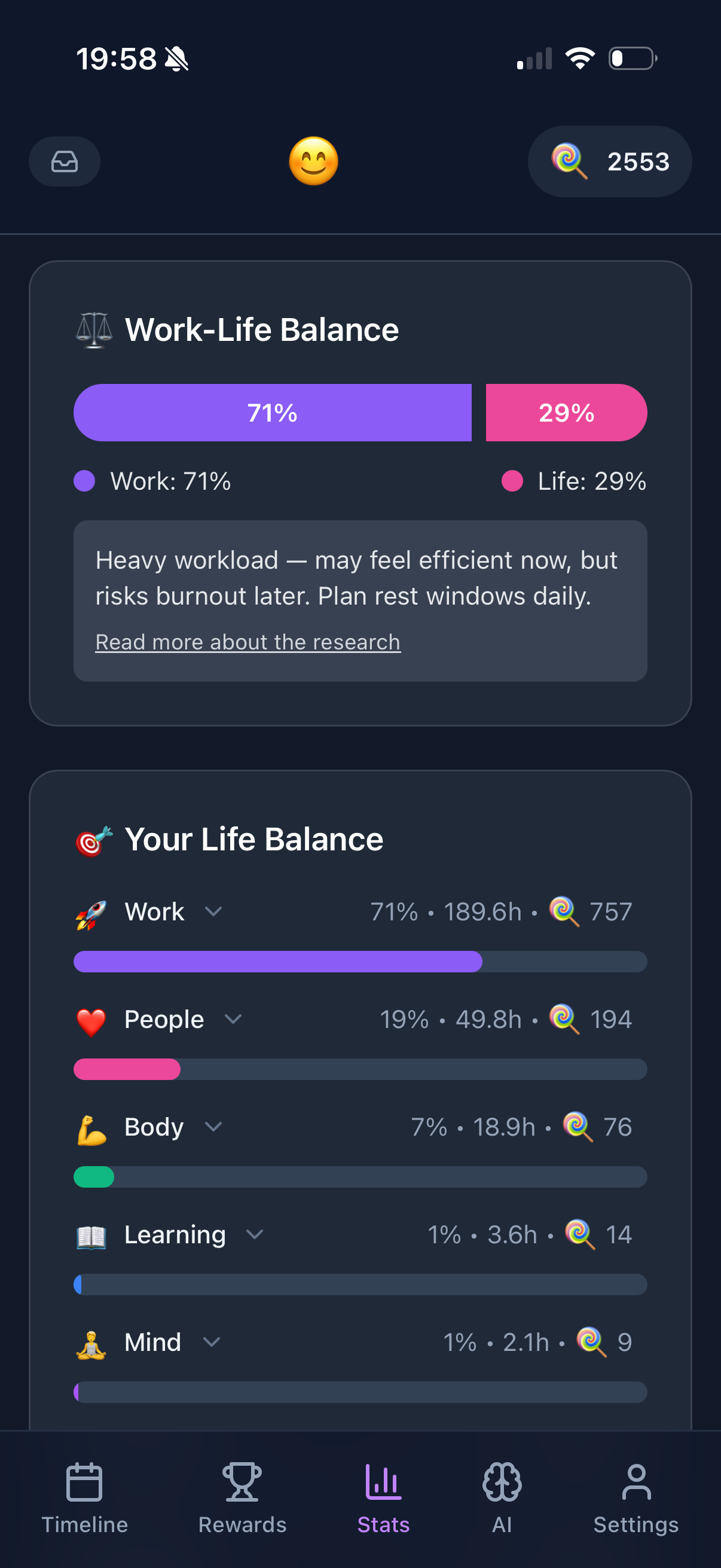
Funtasking approaches time blocking differently. Instead of just blocking work tasks, it helps you block time for all 8 areas of life using the Purpose Wheel: Career, Health, Relationships, Finances, Personal Growth, Fun, Environment, and Contribution.
This matters because the biggest mistake people make with time blocking is only blocking work. They end up with efficient work days but neglected personal lives. Funtasking's life balance approach ensures you're making progress everywhere that matters.
The app's gentle approach also helps avoid the common trap of over-scheduling. Instead of cramming in maximum productivity, it encourages sustainable planning with built-in flexibility.
Time Blocking Templates
The Deep Work Day
For knowledge workers who need extended focus:
- Morning: 2-3 hours of deep work (before checking email)
- Mid-morning: Communication batch (email, Slack, meetings)
- Afternoon: 1-2 hours more deep work
- Late afternoon: Admin and planning
The Meeting-Heavy Day
When you have lots of calls/meetings:
- Stack meetings back-to-back (reduces context switching)
- Protect at least one 90-minute block for deep work
- Use small gaps for quick tasks, not deep thinking
The Creative Day
For writers, designers, artists:
- Start with creative work before any input (no email/news first)
- Take a long break in the middle (walk, nap, exercise)
- Second creative session in afternoon/evening
- Save all admin for one batch at day's end
Ready to Master Your Time?
Funtasking helps you time block for your whole life, not just work. Balance included.
Try Funtasking Free
Related Articles